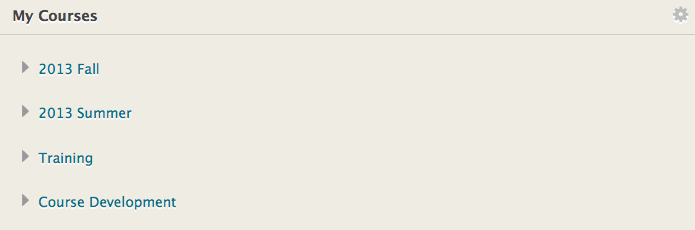
How do I organize my courses by term?
You may want to rearrange your list of courses or remove courses after the semester is over. Click on the gear icon in the upper right corner of the My Courses nugget to edit the list of courses.

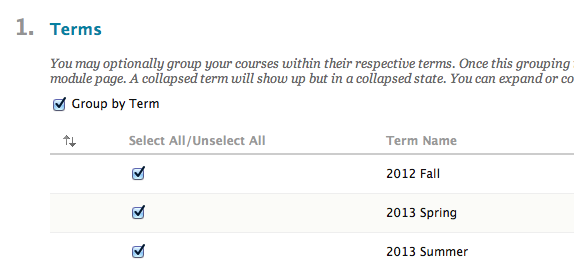
Under Section 1, check the box that says Group by Terms. This will tell Blackboard to organize your courses according to the semester. If you want to hide an entire semester, you can uncheck the box for that term. You are still enrolled in the courses as a matter of record, but you will not see the course.
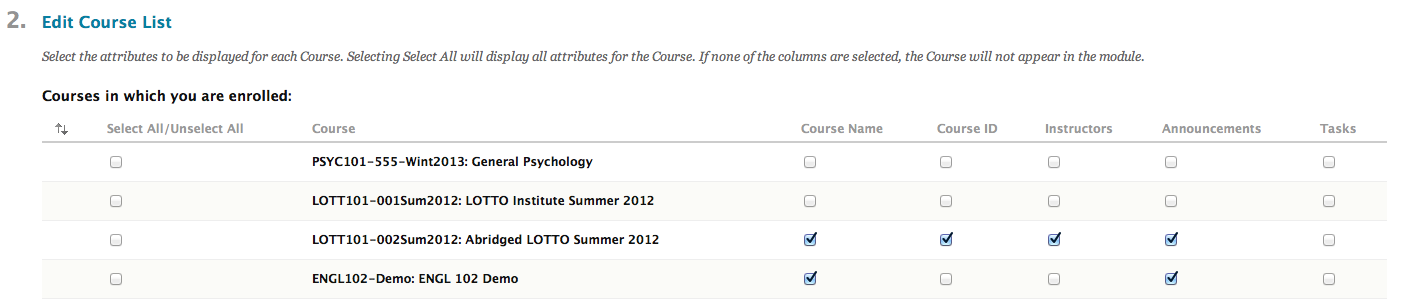
Under Section 2, you can edit the specific courses that appear in the list as well as what information appears under each course listing. For example, if you want to see the name of the instructor and recent announcements, check those boxes. If you uncheck a course to remove it from the list, you are still enrolled as a matter of record, but you will not see the course listed when you log in.
The resulting section will look something like this when you return to the Home or Courses tab: